Setup guide · Amazon Firestick 4K

How to install IPTV on Firestick 4K.

The Firestick 4K and 4K Max are the most popular IPTV devices in the USA for good reason: hardware HEVC decoding, real 4K output, and a $40 price. Setup takes about five minutes and needs no computer — just your Firestick remote and the login credentials from your welcome email.

≈ 5 minutes 6 steps

Before you start

  • Firestick 4K / 4K Max on the TV's HDMI port
  • Your IPTV USA 4K credentials (from the welcome email)
  • The free Downloader app from the Amazon Appstore

No subscription yet? Start with the 24-hour free trial — the setup is identical.

1

Allow apps from unknown sources

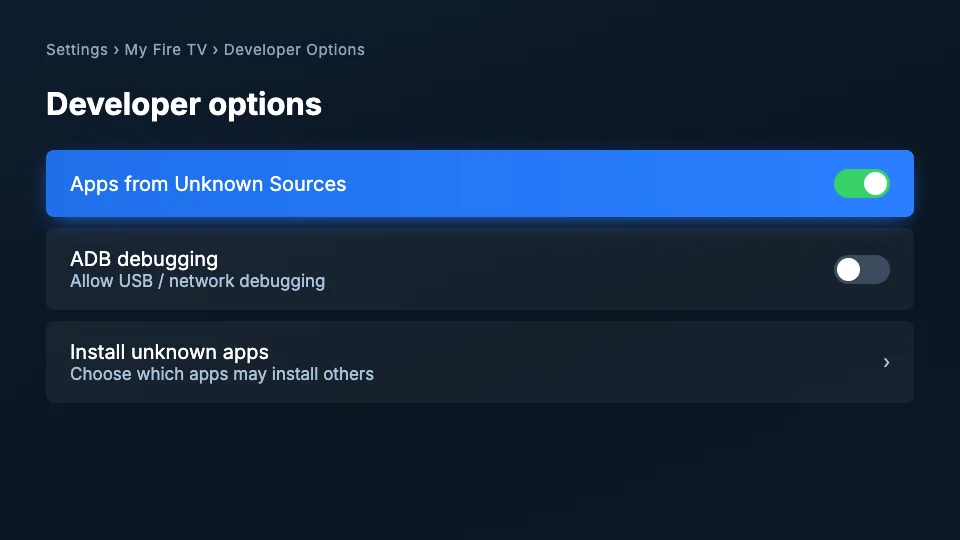
From the Firestick home screen go to Settings → My Fire TV → Developer Options. If Developer Options is hidden, go to Settings → My Fire TV → About, highlight “Fire TV Stick” and click it 7 times to unlock it. Inside, turn ON “Apps from Unknown Sources” (on newer Fire OS this appears after you select Install Unknown Apps → Downloader).

Fire TV Developer options screen with Apps from Unknown Sources switched on
2

Install Downloader

Press the search icon on the home screen, type “Downloader” and install the orange Downloader app by AFTVnews — it's free and on the official Amazon Appstore. Open it once installed and allow it file access when prompted.

3

Enter the player download code

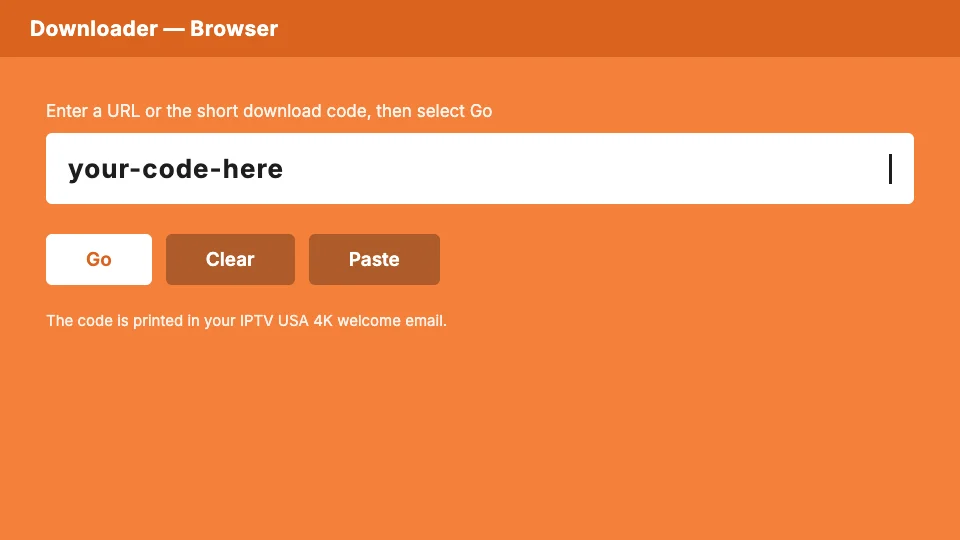
In Downloader's URL field, type the short code from your welcome email and press Go. The player APK downloads in a few seconds. Every IPTV USA 4K welcome email includes codes for the two players we support, so you can try both.

Downloader app URL field ready for the player download code
4

Install and clean up

When the download finishes, press Install, then Done. Downloader will offer to delete the APK file — accept, it frees storage and changes nothing about the installed app.

5

Sign in and load the lineup

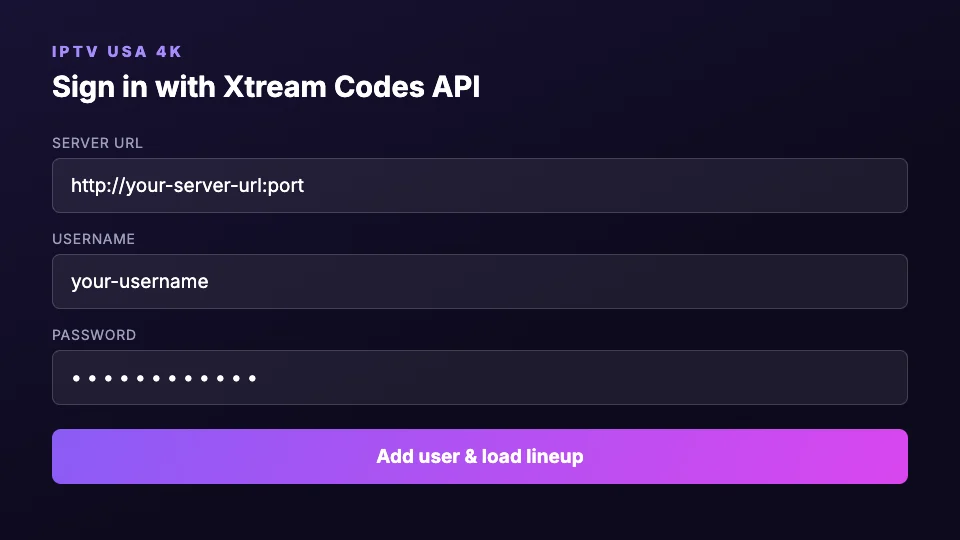
Open the player from Your Apps & Channels, choose “Login with Xtream Codes API”, and enter the username, password and server URL from your email exactly as written. The 22,000-channel lineup and EPG load within a minute on first launch.

Xtream Codes API sign-in form with server URL, username and password fields
6

Verify you're getting real 4K

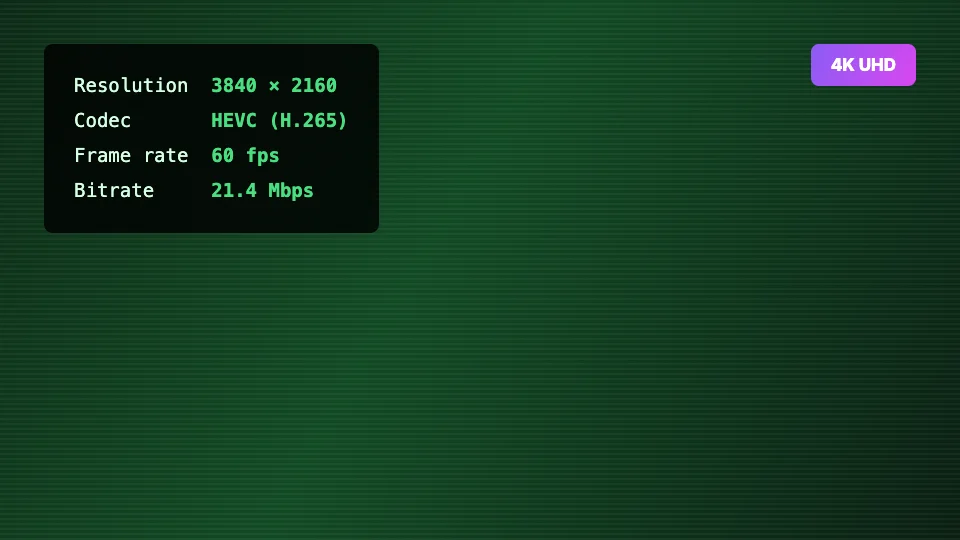
Open an Ultra HD channel, long-press the select button and check playback info: it should report 3840×2160 / HEVC. If it reports 720p, you opened the FHD version of the channel — UHD feeds are marked 4K in the channel name.

Playback info overlay reporting 3840 × 2160, HEVC and 60fps

Use ethernet for 4K sport

The Firestick 4K Max supports Wi-Fi 6, but an $8 ethernet adapter beats any Wi-Fi for sustained 25 Mbps UHD streams on game night.

Clear cache monthly

Settings → Applications → Manage Installed Applications → your player → Clear cache. Fixes most slow-EPG complaints in one step.

Amazon Firestick 4K questions

Is installing IPTV on a Firestick legal?+

Sideloading apps is a built-in, Amazon-documented Firestick feature — Developer Options exists exactly for this. The apps themselves are standard media players. IPTV USA 4K provides the service through those players with transparent pricing, a trial and a money-back guarantee.

Which Firestick should I buy for 4K IPTV?+

The Firestick 4K Max (2nd gen) is the best value: Wi-Fi 6E, faster processor, and hardware HEVC decoding. The standard Firestick 4K works fine too. Avoid the non-4K Firestick Lite if you want the Ultra HD tier — it outputs 1080p maximum.

Why does my Firestick say “app not installed”?+

Almost always insufficient storage. Delete unused apps under Settings → Applications, restart the stick (Settings → My Fire TV → Restart), and run the Downloader step again. The player APK needs roughly 60 MB free.